Export the file you need
PDF, Word, Markdown, TXT, JSON and Copy are available on Free. HTML and ZIP are available with Pro.
PDF · Word · MarkdownFeatures for useful conversations
Gemini Exporter helps turn a useful Gemini or Google AI Studio conversation into a document you can actually read, edit, share and find again.
Open a Gemini or Google AI Studio conversation. Choose Last response only or Full conversation in the inline scope menu for Copy, PDF and DOCX; Pro adds Selected messages. Open the browser toolbar popup for all formats and document controls.
Turn this synthetic UK sparkling water research into a concise brief.
Keep category signals, consumer preferences and recommendations together.
Last response · Full conversation · Selected messages on Pro Gemini Exporter · PDF preview
ILLUSTRATIVE RESEARCH BRIEF
Choose the outcome
PDF, Word, Markdown, TXT, JSON and Copy are available on Free. HTML and ZIP are available with Pro.
PDF · Word · MarkdownKeep captured headings, lists, simple tables, images, code and supported maths. Local completeness checks and PDF preview work on both plans; review rich content before sharing.
Readable structure · Local checksChoose Last response only or Full conversation in the popup or inline scope menu on Free. Pro lets you mark messages on the conversation and export the selection immediately.
Last response · Full chat · SelectedKeep up to 2 chats locally on Free, or 100 chats with Pro. Search and return to useful work later.
Local LibraryCombine saved chats into Markdown, PDF or Word. Use Research, Report and Study templates, source appendices, key and email redaction, and optional encrypted sync where supported.
Combine · Templates · SyncChoose Quick archive on Free or Client report, Study notes and Code handoff on Pro. Save page, font and layout defaults in Settings, then adjust document controls before exporting.
Presets · Settings · Document controls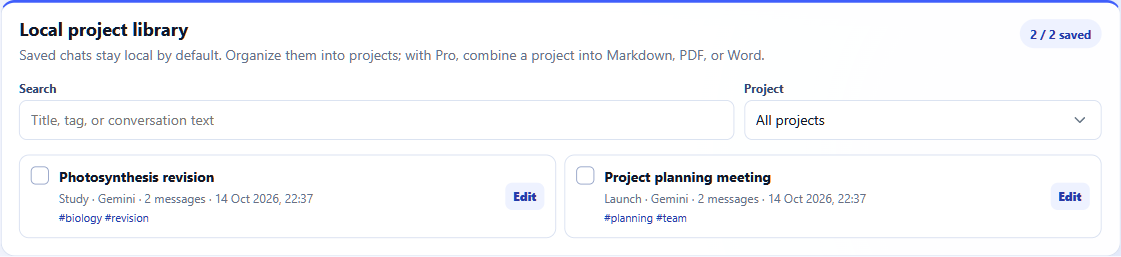
Made for everyday follow-through
Files and the local Library start on your device. Free is useful from the first export; Pro is there for bigger collections and repeat work.
Compare Free and Pro